Steward of the estate

Your estate, administered.

One calm place for your home, your business and your money. A steward that answers only to you.

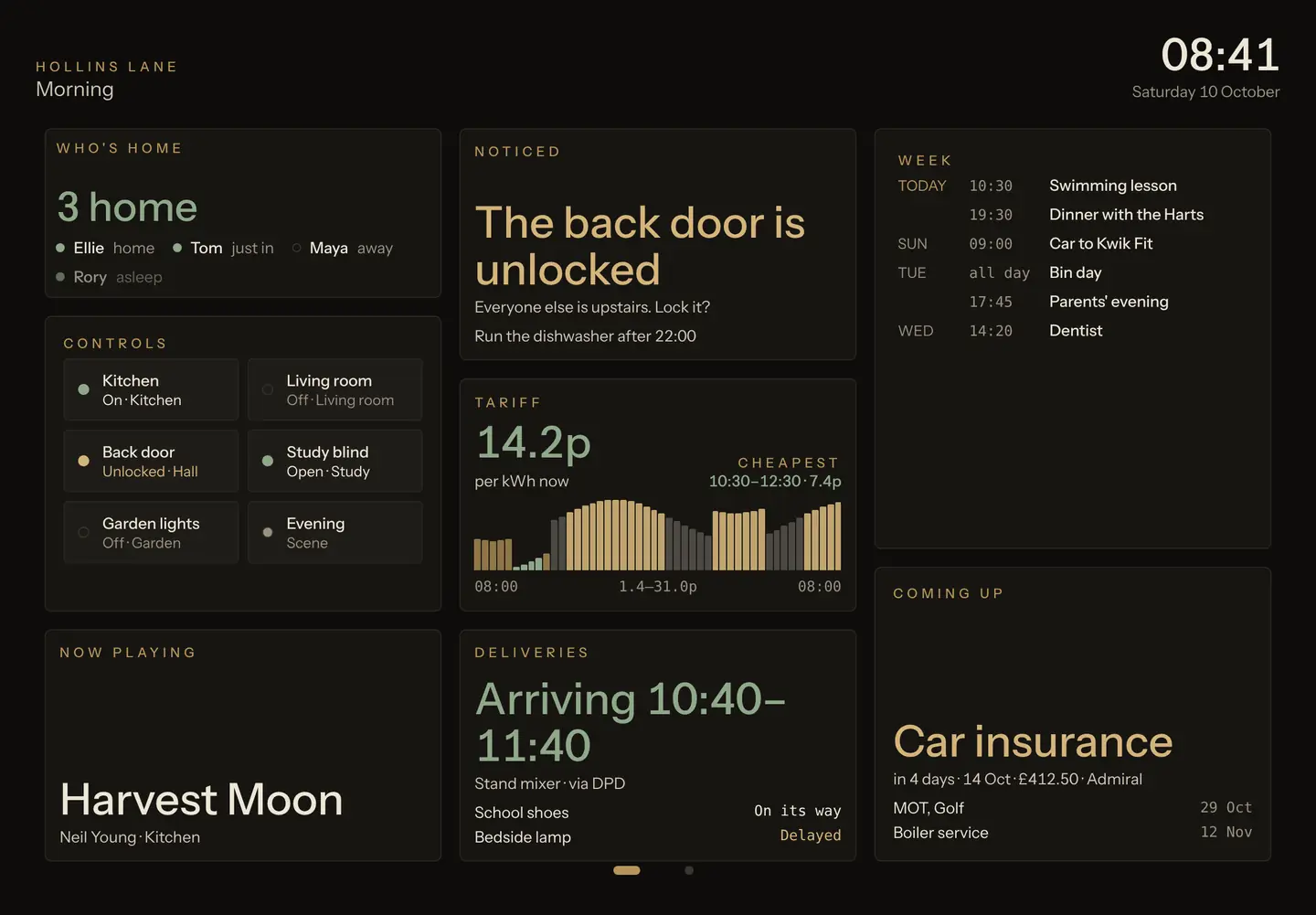
The Castald wall panel at 08:41 on a Saturday: three people home, the back door unlocked, the cheapest electricity from 10:30, a parcel arriving between 10:40 and 11:40, and the week ahead.
The hall wall at 08:41. Who is home, the door left unlocked, the cheapest hour for power, and the parcel due at eleven.
i.

A wall by the door

An iPad in the hall, readable from two metres. Scenes for the morning, the evening and the office, changed with a touch or a word.

ii.

Touch, or speak

Every tile opens to the detail behind it. Anything it cannot show, you ask, by voice or by typing.

iii.

Quiet until it matters

Low glare, day and night. An alert appears once, says what happened and offers one thing to do.

I. The morning brief

It reports. It does not chat.

Your steward speaks like a very good chief of staff: the state of things first, then what needs you, then one offer. Exact figures. Short sentences. Nothing to scroll past.

“I’ll never send, pay or unlock anything without asking you.”

Hollins Lane Saturday 10 October, 07:00

Good morning.

The house is secure. Two things in the estate want your eye.

Front door Locked
Alarm Armed, home
Car insurance Renews in 4 days · £412.50
Boiler service Two slots offered

Shall I draft the cancellation for the car insurance?

An example brief, for an example household.
Four promises

In command, protected and unhurried.

I

Loyal

It works for you and nobody else. Your own AI if you wish, your own accounts, and a plain account of where your data goes.

II

Discreet

It reports; it does not chat. No small talk, no exclamation marks, no noise on the screen.

III

Whole

The house, the business, the money, the inbox and the diary, seen from one place rather than ten apps.

IV

Calm

Dark, low-glare screens and slow, smooth motion. It speaks up only when something matters.

II. In your pocket

The same wall, wherever you are.

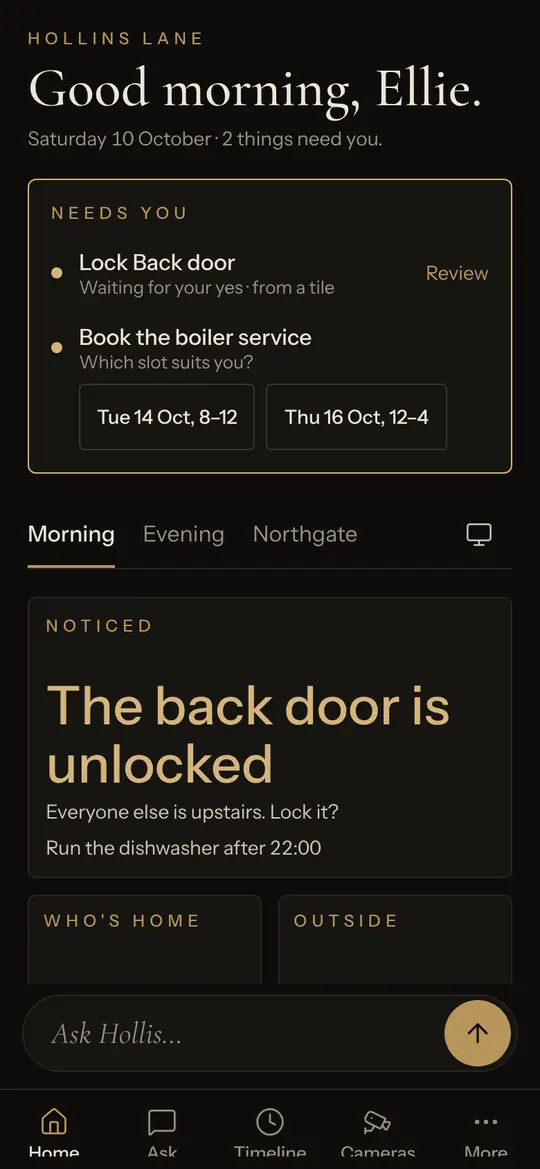
Your phone shows the scenes you arranged for the hall, flowed into one column. What needs you sits at the top. Ask sits at the bottom.

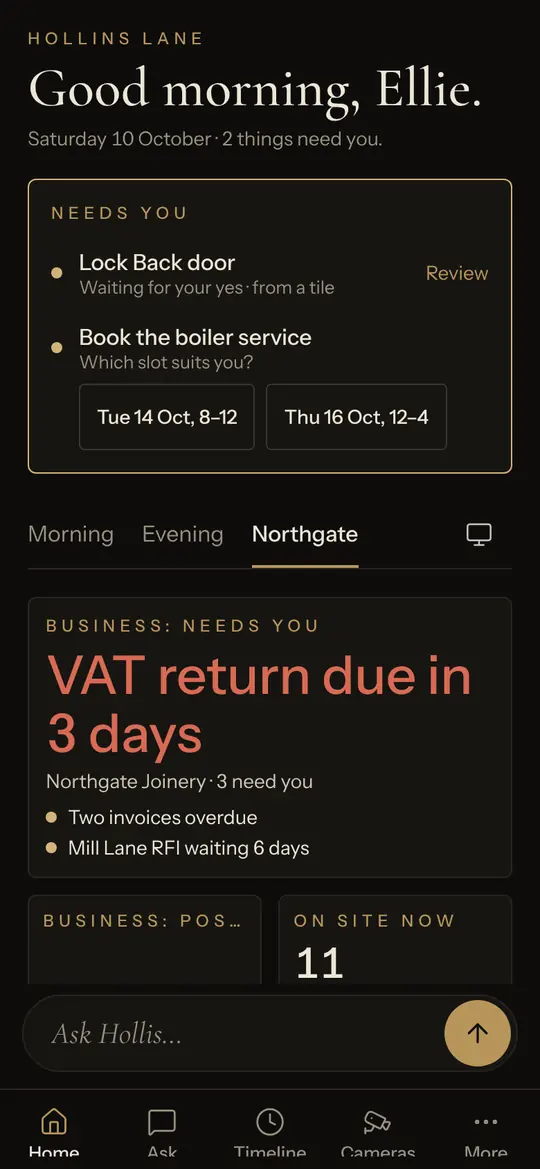
The phone’s home screen: a greeting, two things that need you, and the Morning scene.
i. Needs you, first A lock to approve and a question from an errand, answered without opening anything.
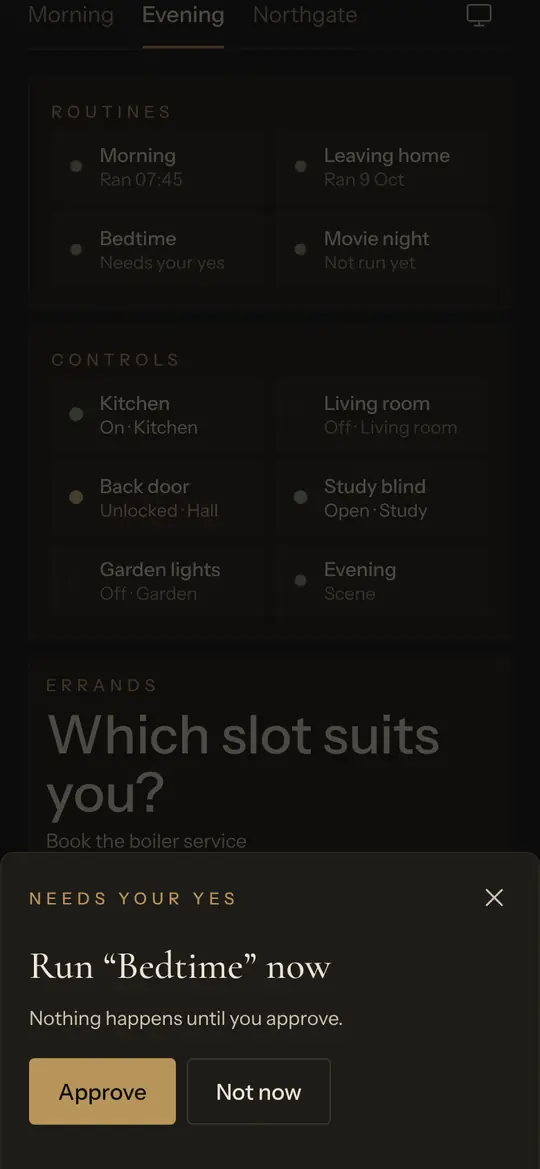
An approval sheet reading Run Bedtime now, with Approve and Not now.
ii. Your yes, in one line Running Bedtime will lock the doors, so it asks. Exactly what will happen, then Approve or Not now.
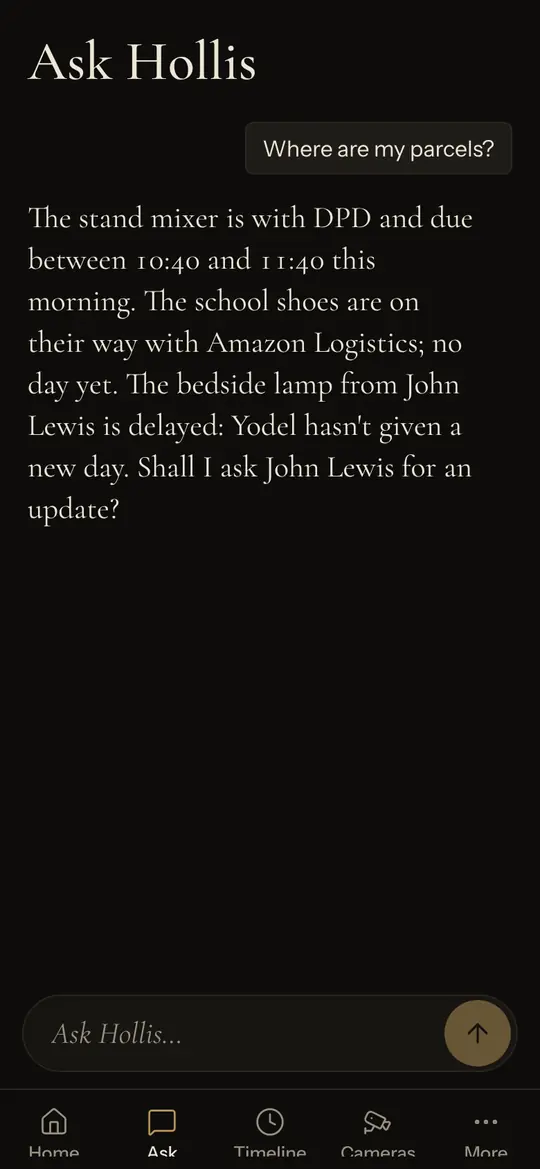
Ask: a question about parcels answered with carriers, times and an offer to chase the late one.
iii. Ask, in a sentence Where are my parcels? Carriers, times, and the one that is late, with an offer to chase it.
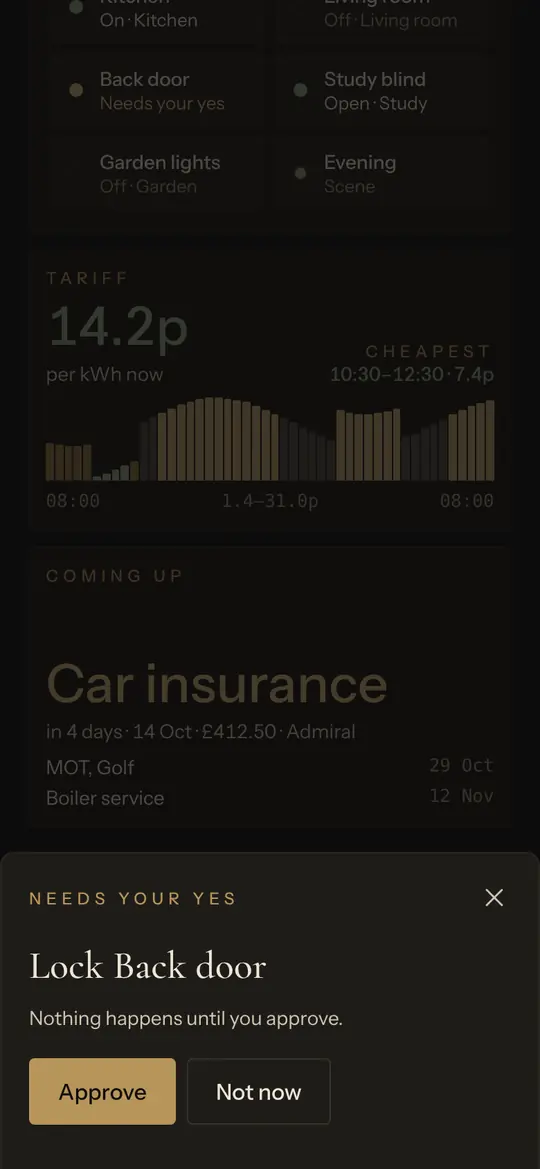
An approval sheet reading Lock Back door, with Approve and Not now.
III. It asks first

Nothing is sent, paid or unlocked without your yes.

Money, messages, access and deletion always come to you as one plain line: what will happen, to whom, for how much. Approve, or not now. The small things simply happen.

Asks first
  • Locks, gates and guests
  • Payments and invoices
  • Messages sent in your name
  • Anything deleted
Happens at once
  • Lights and blinds
  • Music and the television
  • Scenes on the wall
  • Answers and briefs

A screen in the hall can switch a light. A lock tapped there waits for an adult’s phone.

IV. Home and estate

The house and the business, kept apart.

A business is its own space with its own members. The household never sees its books, and your steward moves between them only when you ask.

The house: security, cameras, access, devices, sound and network.

  • Doors, locks and cameras
  • Lights, blinds and heating
  • Energy prices and the cheapest hours
  • Parcels, renewals and household admin
  • Who is home, and routines that follow
A business scene on the phone: the VAT return due in three days, two invoices overdue and eleven people on site.

Business and money: companies, accounts, invoices, inbox and diary.

  • Cash, takings and what is overdue
  • Companies, ownership and projects
  • Inbox and diary across accounts
  • Sites, people on site and open issues
  • Errands run for you, start to finish
V. At a glance

On the home screen and the lock screen.

Today, Ask and Needs you sit beside your other apps. A parcel out for delivery stays on the lock screen until it arrives.

Every screen, explained
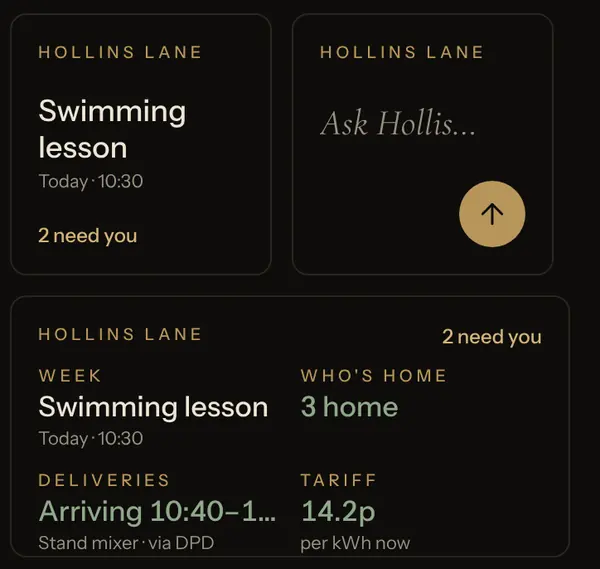
The large Today widget: Good morning, the next event, who is home, a delivery, the tariff, a notice, a renewal, controls and home health.The small and medium widgets: the next event, a box to ask your steward, and a summary of the household.
VI. Yours alone

Bring your own AI. Bring your own accounts.

Castald works for you, not for a platform. Nothing is locked to one ecosystem.

Your accounts

Your calendar, mail, bank feeds, cameras and energy supplier stay in your name. Castald connects to them; it never holds them for you.

Your AI

A managed model and voice from the start, or your own key for the model you prefer. Change it whenever you like.

Your secrets

Passwords and keys live in a sealed vault. No screen and no tool ever reads one back.

Connects to Google, Microsoft 365, iCloud, Xero, QuickBooks, Stripe, Octopus Energy, Home Assistant, UniFi, Telegram and WhatsApp Business, among others.

The name

In Lombard Italy, a castald ran a portion of the royal estate: the land, the people, the money and the disputes. He answered to the king alone.

Your estate, administered. Answers only to you.

Read the story
VII. Three tiers

As much of the estate as you wish.

The house: security, cameras, access, devices, sound and network.

Terms on application

Business and money: companies, accounts, invoices, inbox and diary.

Terms on application

Everything: home and estate together, with a steward that moves between them.

Terms on application
Questions

Asked, and answered.

What do I need to begin?

A screen for the wall, usually an iPad by the front door, and the accounts you already use. Castald runs in the browser on a laptop or television too, and on your phone.

Does it replace my smart home system?

No. It sits above it. Lights, locks and sensors stay in Home Assistant; Castald shows them, switches them and asks before anything that matters.

Who can see what?

Each member of the household has a role. Guests and children see less and can do less. A business is a separate space that the household never sees.

What does the steward know about me?

Only what your connected accounts show it and what you choose to tell it. You can review and remove anything it has remembered.

What is it called?

Whatever you like. You name your steward on the first day, and that is the name it answers to.

A steward for the whole estate.

Tell us a little about your house and your business. We will be in touch.